Swarm collaboration
Swarm collaboration is the default mode of swarmx. You interact with only a single resident orchestrator (the captain), which scales the team to the size of the task: small things it does itself, big things it splits up and dispatches a few workers to handle separately. No workflow needs to be designed in advance; members are dispatched at runtime as the task requires.
How to start
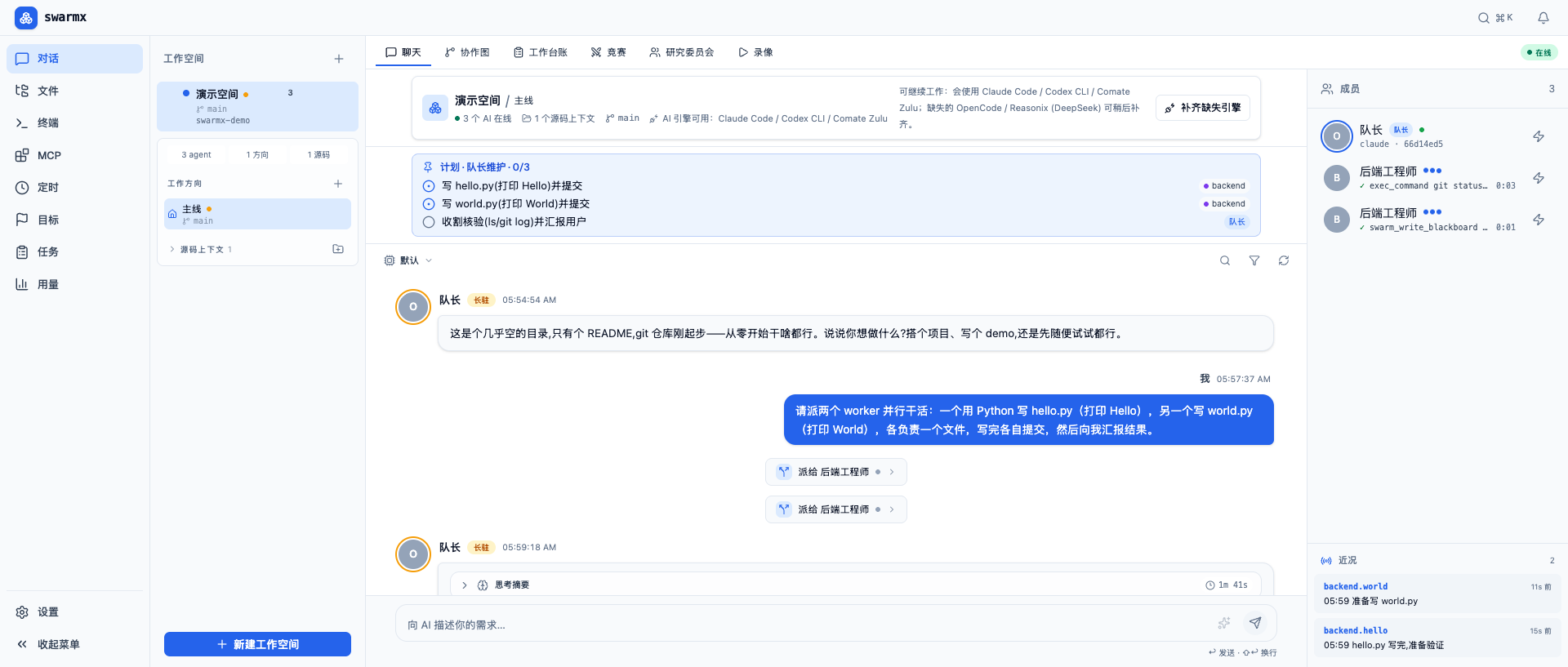
- Create a workspace pointing at a real project directory. The orchestrator first scans the project and writes its ledgers, then greets you.
- Describe your goal to it in natural language — a requirement, a bug, or a refactor all work.
- It decides whether to complete the task directly or to split and dispatch. You see its plan, dispatched members, and progress in the chat view.
How members collaborate
Members do not share context; they collaborate through two explicit vehicles (see Blackboard and inbox for details):
- Shared inbox — agents address each other by id, and messages are delivered at the recipient's next turn boundary, with no polling.
- Shared blackboard — a key-value store with full-text search and version history; any write is pushed to subscribers instantly.
- Instant wakeup — the moment a blackboard key is written, every agent waiting on it is woken at the same instant, including those that had previously stopped (see Wake mechanism for details).
Members' outputs are connected through typed handoffs: who produces, who consumes, and on what signal a wakeup fires are all explicit and verifiable, without relying on conventional file names.
Cross-engine teams
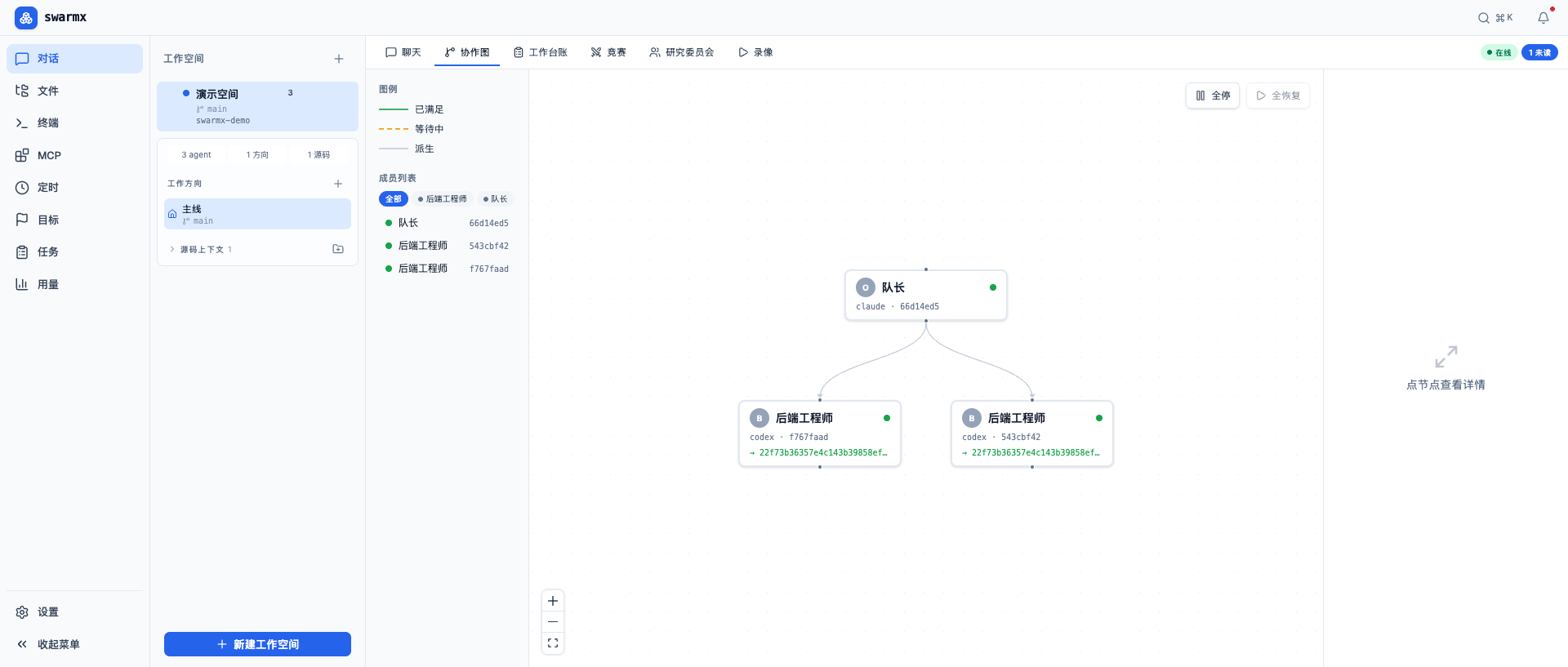
The orchestrator and workers can be different engines. A common combination is a claude orchestrator paired with codex workers — each playing to its strengths. Every engine appears in the dashboard in a unified agent form; for the differences, see Engine reference.
A visible collaboration process
Every step of swarm collaboration is visible:
- Chat — talk to the captain, with a live-updating plan checklist pinned at the top and the member panel on the right.
- Collaboration graph — draws the dependencies and waiting relationships between members as a real-time graph.
- Work ledger — shows the task ledger the captain maintains, progress, and the latest activity of each member.
- Recordings — every member's terminal session is recorded and can be replayed for review.
An example
Ask the orchestrator to "create two files, each handled by one worker," and you will see it come online, dispatch two workers (which can be different engines), each complete in an isolated working copy, commit, and report back, after which the captain verifies and summarizes to you. Throughout, the plan checklist, collaboration graph, and member panel reflect the real state in sync.
Advancing multiple lines in parallel
Within the same workspace you can open multiple directions advancing in parallel without interference — in a git project each direction automatically gets an independent working copy and branch, and can be merged back to the mainline once complete.